
scatter78 App Installation Paths
scatter78 offers three ways to access our platform on mobile: native Android APK, iOS web app, and responsive web browser. Each path maintains your single scatter78 account—deposit via DANA on Android, withdraw via e-wallet on web, and your balance stays synchronized. Choose the path that fits your device and preference.
All scatter78 paths use one account
Your username, password, balance, and KYC verification work across Android APK, iOS, and web. Login once and play on any device.
Android APK — Direct Install
Android users can download our scatter78 APK directly from our platform without waiting for Google Play Store review. The APK installs like any third-party app—you enable "Unknown Sources" in your device settings, then install. Updates push automatically; you can also check for updates inside the app. Android 7 or higher is required. Most devices from the past five years meet this standard.
iOS Web App — Browser-Based
iOS users access scatter78 through Safari or Chrome as a web app. There is no separate iOS app on the App Store—we serve the full scatter78 platform through your browser. Save scatter78 to your home screen for a native-like experience with one tap. iOS 12 or higher is supported. The web app is fast and responsive on all iPhone and iPad models.
Web Browser — All Devices
Desktop, tablet, or mobile—scatter78 works in any modern browser (Chrome, Firefox, Safari, Edge). No install needed. Login at scatter78.app and play instantly. Your account, balance, and verified KYC status carry over from the app. Many users keep both installed: the Android APK for speed and offline tournament info, and the web version for larger screens or device switching.
-
1
Download scatter78APK or visit site
Android: tap APK download link. iOS: go to scatter78.app in Safari. Web: enter scatter78.app in any browser.
-
2
Install (Android only)Allow unknown sources
Android: enable Unknown Sources in Settings > Security, then tap the APK file. iOS and web: skip this step.
-
3
Create scatter78 account or loginEmail + password
New user: tap Open Account, enter email, choose username and password, add your mobile number, agree to terms, and submit. Existing user: tap Member Login and enter your credentials.
-
4
Start playing scatter78Games ready now
Tap a slot title (Aviator, Sweet Bonanza, Gates of Olympus, Fortune Tiger, Mahjong Ways) to launch. Live tables and sportsbook menus are in the main navigation. Deposit when ready using mobile banking, local payment, online payment, e-wallet, mobile banking, local payment, or bank transfer.
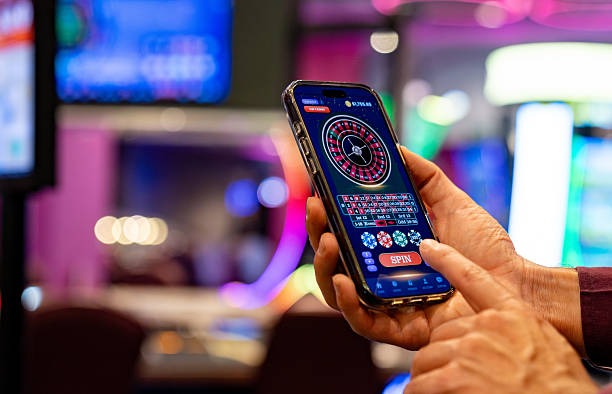
App vs. Browser — Strengths of Each
Our scatter78 Android APK stores tournament schedules locally, so you see daily and weekly slot events without an internet connection (game play requires connection). Push notifications alert you to upcoming Liga 1 matches and Piala AFF draws. The app launches faster than the browser and uses less data on repeat sessions. However, the web version works on any device instantly with no install friction, and you never need to download updates—scatter78 automatically serves the latest version to your browser. Many users keep both: APK for daily play at home, web for quick access on shared devices or during travel. Your scatter78 account, balance, and KYC status sync instantly across all paths.
Device Compatibility
scatter78 Android APK requires Android 7 or higher—most phones and tablets from 2016 onwards meet this requirement. iOS web app works on iOS 12 and later—iPhone 5s and newer, all iPad models. Web browser version works on any device with Chrome, Firefox, Safari, or Edge (Windows, macOS, Android, iOS). If your device is older than these versions, update your operating system or use scatter78 on another device. For account recovery or device-specific issues, contact our support team during business hours via the help section on scatter78.

Common Installation Issues and Fixes
If the Android APK won't install, check that Unknown Sources is enabled: go to Settings > Apps & Permissions > Special App Access > Install Unknown Apps, find your browser or file manager, and toggle it on. Some phones hide this setting under Security instead. If you see a certificate warning on Android, this is normal for APKs outside Google Play—tap Install Anyway to proceed. scatter78 uses industry-standard encryption; the warning reflects only that we don't use Google's servers, not a security flaw. On iOS, if the web app won't save to your home screen, try a different browser (Chrome instead of Safari, or vice versa) or clear your browser cache and try again. If you're on an old iOS or Android version, update your device operating system first—we do not support versions older than iOS 12 or Android 7.
Data, Permissions, and Account Security
scatter78 collects your username, email, verified identity documents (during KYC), and transaction history to maintain your account and process deposits and withdrawals. We encrypt all data in transit and at rest. The Android APK requests permission to send push notifications (Liga 1 fixtures, tournament reminders) and access your device storage (for offline tournament schedules). iOS web app requires no permissions—notifications are browser-based. We never sell your data to third parties. Your account is protected by your password; change it regularly and never share it. If you suspect your scatter78 account is compromised, log out on all devices immediately, change your password, and contact our support team. Two-factor authentication (email verification links) is standard on account recovery. For full details, read our privacy policy
- Android APK
- Direct download, fast startup, offline tournament info, push notifications, requires Android 7+.
- iOS web app
- Browser-based, no App Store wait, save to home screen for native feel, requires iOS 12+.
- Web browser
- Universal, no install, always latest version, works on desktop/tablet/mobile.
- Account sync
- One login across all platforms; balance and KYC verification carry over instantly.